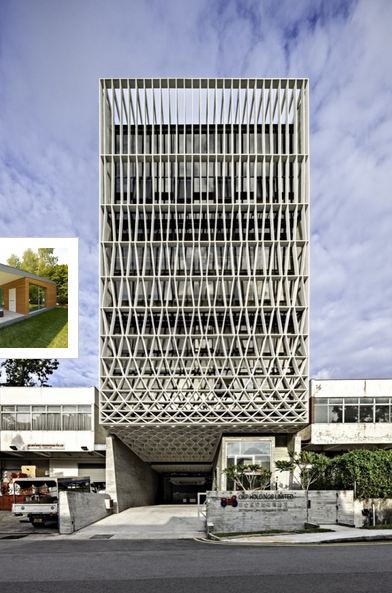
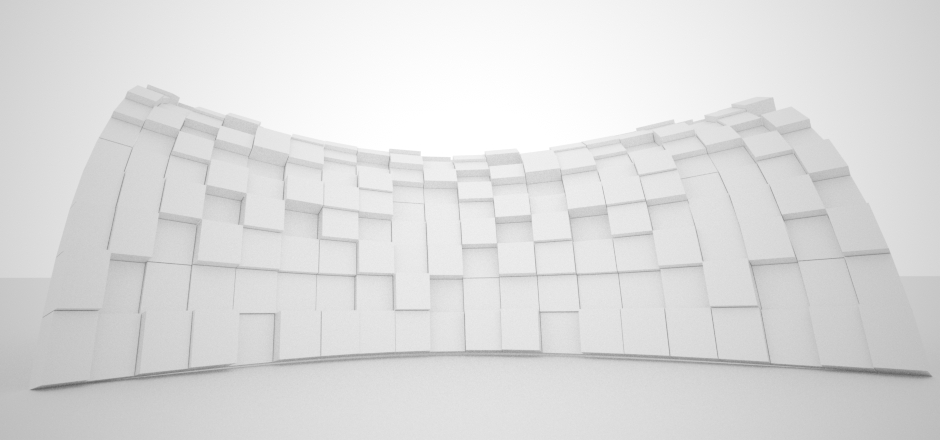
In this video you learn how to adjust the spacing of a linear controller by overriding the index value within the array using a Graph controller. This is to generate the horizontal bars within the facade. In the second Part of video you will find out how to distribute the members of an two dimensional array along these horizontal members
For more information about Pencil office please visit here.
Part I
Part II
In this part we create two sets of controllers to generate straight and diagonal pattern of vertical members. Then we use a blend controller to mix two paraflows. A graph node controls the intensity of each pattern along the Z axis.
The best way to place mullions on a curtain wall.
Curtain wall is made of an edit_poly object which the edges of editpoly represent the axis of mullions , the mullion object itself is a single line object with a sweep modifier on top. This approach allow you to have any type of cross section for the mullions while it keeps them always perpendicular to the surface, you can also select the edges of edit poly and force mesh-controller to place the mullion only on selected edges.
We just released the latest version of our generative design tool “Para 3d ” !
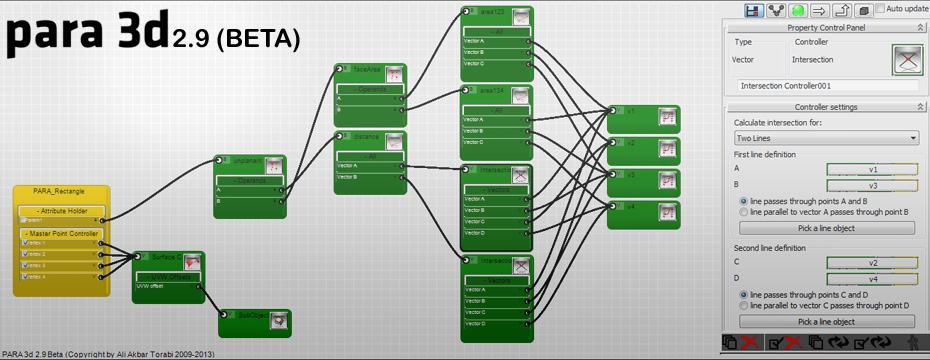
Para 3d is scripted plug-in for Autodesk 3ds MAX Design and 3ds MAX which provides users by intuitive interface to MAX-script programming. This tool allows you to do scripted controller via an advanced node based user interface and apply those controllers on existing scene objects or event create new objects. We have used a very low platform of DOT NET ( .net version 2.0) for our basic dll files so that all users from Max 2009 up to 2013 can run this script on their system. The plug-in is available on our website for download. It’s a Beta product and it’s free of course!
PARA shape (BETA) has been added to PARA 3d. When no object selected click on Para 3d button and it creates Para shapes. Para shapes allow users to create parametric shapes by implementing Para 3d controller on vertices and Bezier handles of a shape object.
Controllers show error sign in filter mode. With this new feature user can easily find the problematic controller among all the controllers inside array.
A message box shows up in case of error displays all the problematic controllers and possible solutions to resolve the problem.
controller list expand automatically when filter mode is active.
A “Save as” function has been added to controller library.You can simply save all controllers from the scene to another MAX file from controller library.
Override array corners in Linear Controller. Linear controller takes the corner objects as input for linear interpolation, with new override option you can create linear interpolation of other controller’s output.
Override Position in Magnet controller. Magnet controller takes the position of items in array as input, with new override option you can replace this value by another controller’s output.
Surface controller has got many new features. (more details will come soon)
Curve controller has got new function in scalar mode. you can test if a curve is concave or convex at given position.
Bitmap controller support vertex color as input.
Link controller support time delay for external links.
Pattern controller generates list (multiple output)
List controller support Min / Max and Total for two dimensional lists.
Bugs fixed:
Control assignment has been improved. Interface allows to assign controllers to multiple selected properties in one move.
Problem with Interpolate controller has been resolved.
Random controller is now compatible with Max 2009
Error in opening C.O.P (Controller Output Preview) roll-out has been fixed (When controller was in world coordinate system the preview panel encounter to error).
Problem in selecting math/mix controllers width different number of variables fixed.
Using list controller as sub-controller is now allowed.
Mesh controller return the indexes of sub-objects (vertices/edges/faces) in proper order (clockwise).
In Array Variable controller you could use the seconds/ticks and normalized time only in animated array, now these options are available in normal mode.
Multiple use of a single component no longer causes error in Math controller.
Problem in assigning controllers to control points of FFD(Box) modifier is fixed.
Variable override controller works on surface controller
Deprecated features
Surface controller dose not support the position/normal/tangents and rotation amount in scalar mode. You may use a convert controller to derive the scalar part from the vector output.
In this video I’m creating a curve network. A curve network consist of a series of curves which has been assigned to curves from another array.
Also you learn how to use Xform modifier to transform selected vertices of a shape object.
In this video you learn how to use random controller within surface controller to change the thickness of panels. Also you learn how to control the random values while using random controller on multiple properties/controllers.
For more information on random controller see also : Random pattern and noise effect in animation
This video explains use of PARA 3d to create a fully parametric concept model of bird’s nest stadium. You can control all aspects of geometry and create multiple variations in less than one second!